Export data for further analysis
Ravineo allows you to export data for further analysis.
What you can export:
- All individual ads based on the current filters
- Aggregated data with customizable breakdowns and metrics
- Data from any specific chart on the dashboard
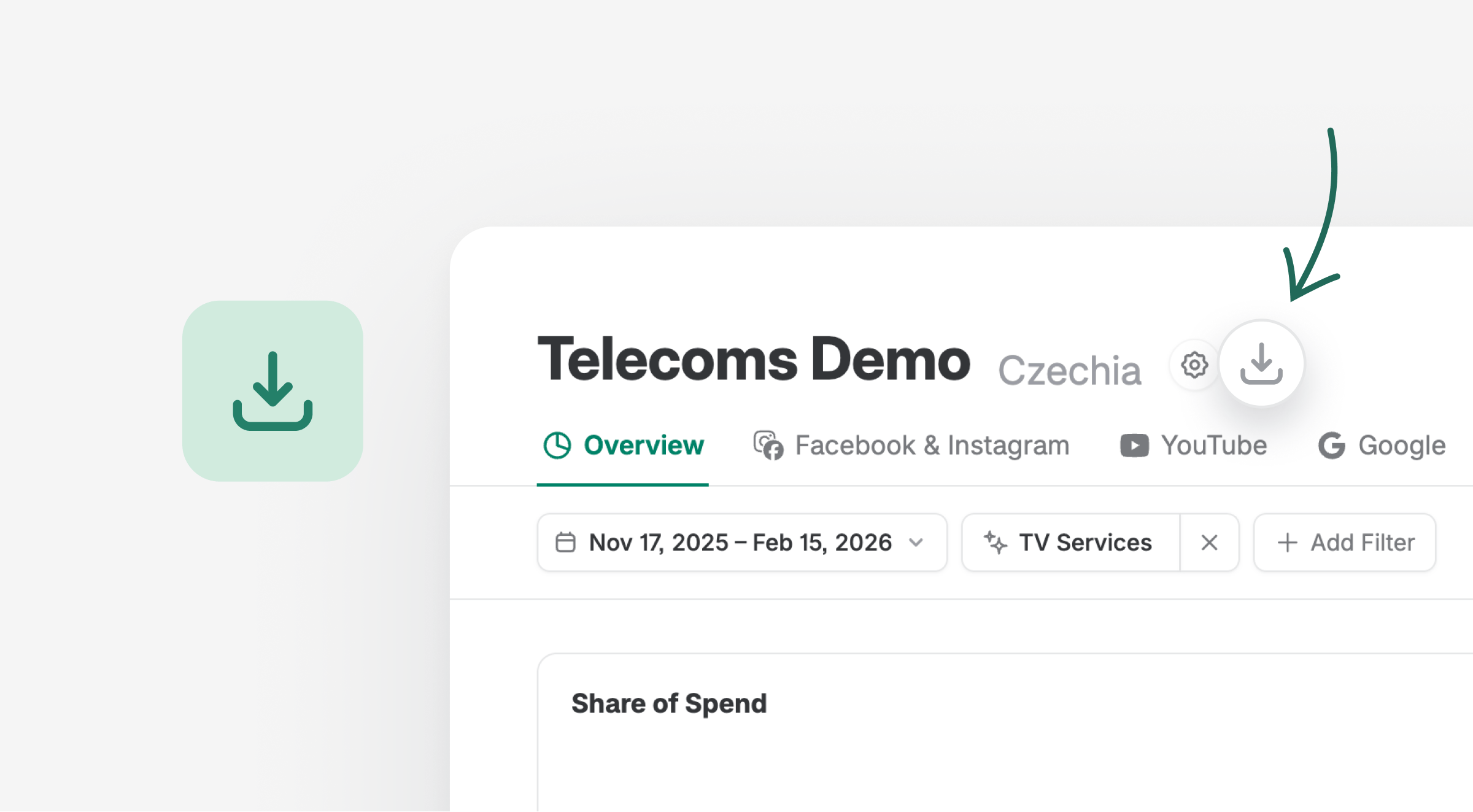
Click the download button next to the dashboard name, then choose your preferred format and the data you want to export.
Export Mode
Choose between:
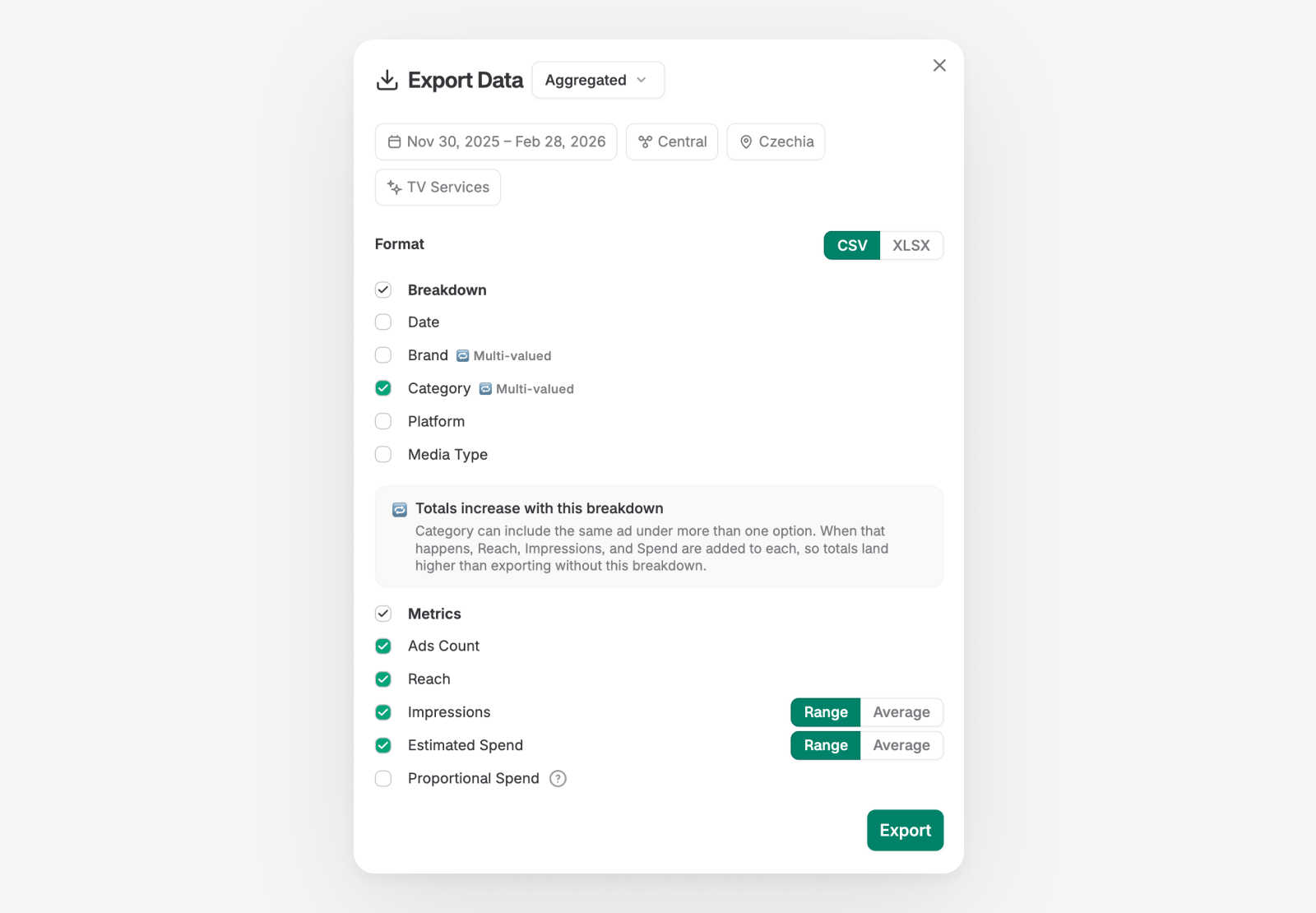
- Aggregated — Export summarized data with breakdowns of your choice
- Individual Ads — Export raw ad-level data
Format
Choose between CSV and XLSX file formats.
Breakdowns
Select which dimensions to include as columns in your export:
- Date
- Brand (multi-valued)
- You vs. Others
- AI Categorizations — Any AI categorizations configured for your dashboard (multi-valued)
- Country
- Platform
- Media Type
- + Other platform-specific breakdowns
Multi-valued breakdowns affect totals — Some breakdowns like AI Categorizations are multi-valued — a single ad can belong to more than one option. When that happens, Reach, Impressions, and Spend are added to each, so totals land higher than exporting without these breakdowns.
Metrics
Select which metrics to include in your export:
- Ads Count
- Reach
- Impressions (range or average)
- Estimated Spend (range or average)
Avoiding Data Duplication in Exports
When using multi-valued breakdowns, your exported totals will be higher than what you see on the dashboard. Follow the steps below to export clean, non-deduplicated data.
How to Export Clean Data
- Use only single-valued breakdowns — Stick to Date, Platform, and Media Type. These produce one row per value, so totals stay accurate.
- Use Proportional Spend — If you need multi-valued breakdowns (like AI Categorizations), enable the Proportional Spend metric. This distributes spend proportionally across categories so the total remains correct.
- Export individual ads — Switch the export mode to Individual Ads to get one row per ad with no duplication.
Look for the multi-valued indicator next to breakdown options — it marks which breakdowns may cause totals to increase. The export dialog also shows a warning when you have multi-valued breakdowns selected.
Why Do Multi-Valued Breakdowns Increase Totals?
A single ad can be tagged with multiple values for certain breakdowns. For example, imagine a beauty dashboard where an ad promotes both “Skincare” and “Fragrance” product lines. When you export with the Brand breakdown enabled, that ad’s metrics (Reach, Impressions, Spend) appear under both rows — once for Skincare and once for Fragrance.
Example: Say you have 10 ads on a beauty dashboard, each with 1 million impressions. Three of those ads promote both Skincare and Fragrance. Your exported total impressions will show 13 million instead of 10 million — because those 3 ads contribute their impressions to both brand rows.
Exporting Chart Data
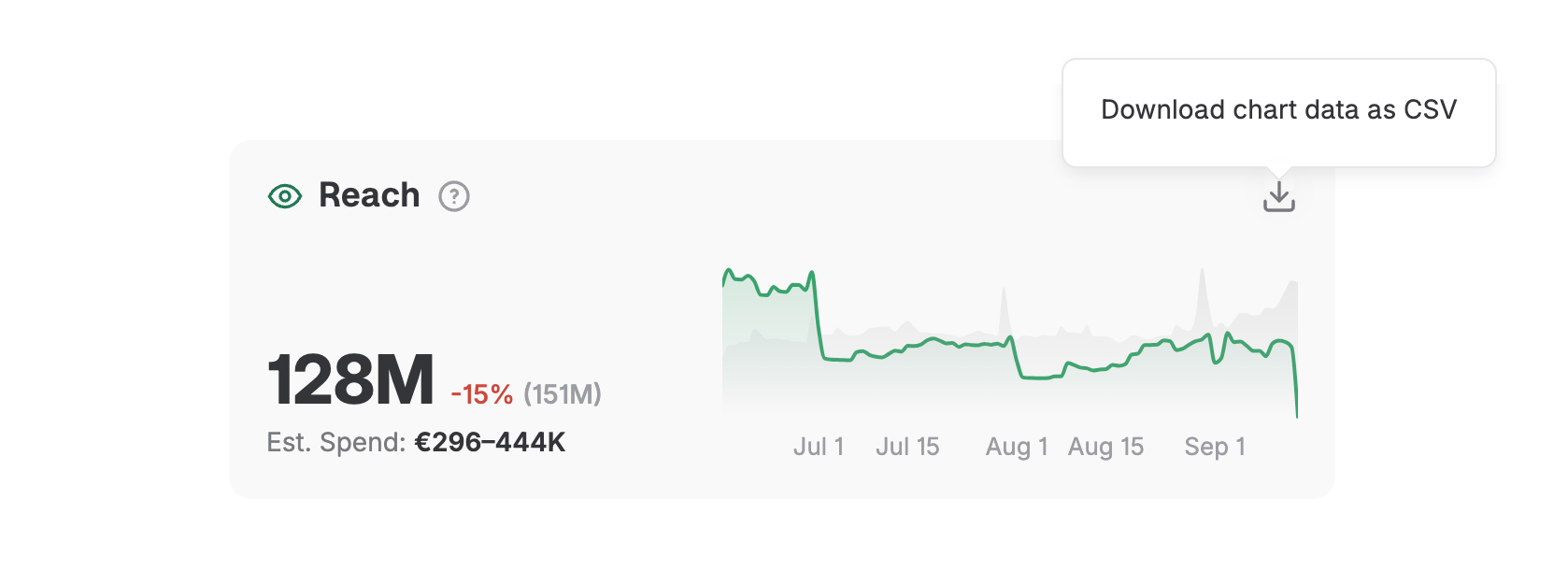
You can also download data for any individual chart on the dashboard. Hover over a chart and click the download icon. This exports only the data visible in that specific chart.
If you'd like even more customized exports, get in touch with us!
Ravineo & Meta Metrics Comparison
Metric | Ravineo | Meta (Facebook & Instagram) |
|---|---|---|
Reach Calculation | Cumulative Unique Reach: Sum of the unique reach for each individual ad. Captures the total exposure across multiple ads. | Deduplicated Unique Reach: Tracks the actual number of distinct individuals reached across multiple ads, eliminating duplicates. |
Example (10 Ads) | If 10 ads each reach 1M people, Ravineo reports a total reach of 10M. | Meta would show a deduplicated reach of, for example, 1.4M unique people across the 10 ads. |
Deduplication | No Deduplication: Summing up the unique reach of each ad provides a standardized comparison of total exposure. | Deduplication Applied: Meta deduplicates users across ads within their platform, removing repeat counts of the same individual. |
Share of Ads Voice | Represents the total attention captured by summing the reach of all ads. Gives a comprehensive view of campaign reach. | Focus on Unique Reach: Meta’s deduplication aims for exact precision within the Meta ecosystem, reporting the total unique exposure. |
Comparison Strength | Cross-platform, comprehensive: Share of Ads Voice works across multiple platforms, giving a full-market view. | Platform-limited: Meta’s reach data is specific to its ecosystem, limiting comparisons outside of Facebook/Instagram. |
Data Limitation | Cross-Ad Comparison Possible: Ravineo does not deduplicate across multiple ads due to privacy and technical constraints. | Single-Ad Focus: Meta focuses on deduplicating reach within individual campaigns but doesn’t offer comprehensive cross-platform views. |
Read Next:
